Console 3.0

The console gets a fresh new design, making the interface clearer and more pleasant to use every day.
This update brings a host of new features: a light theme, an interface available in English, group management, RAG agents integrated into the console, service keys, public alerts, and many other improvements.
Rediscover the console →A refreshed interface
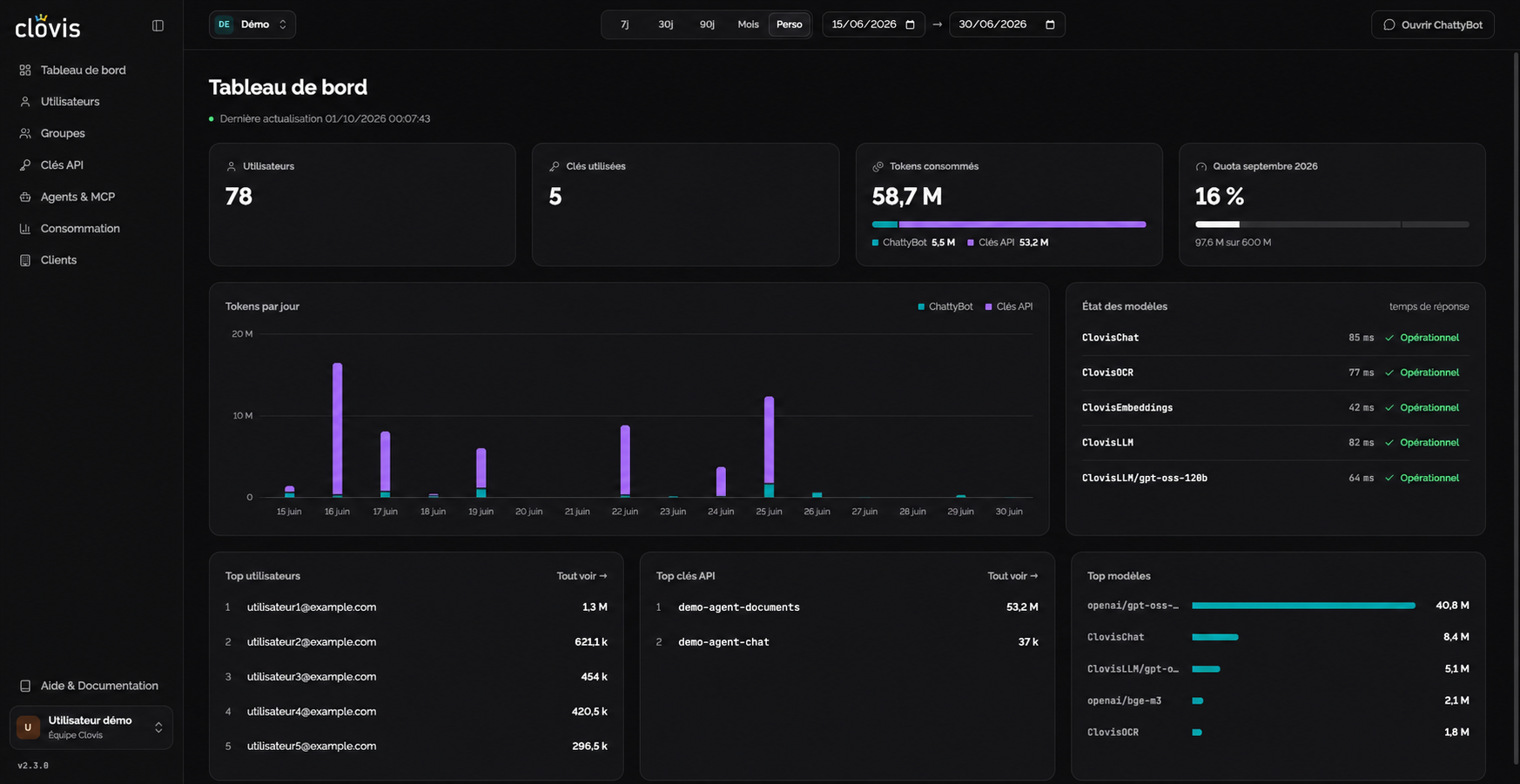
The console frontend has been completely redesigned. Animations, colors and spacing have been revised to make the interface clearer, more modern and better suited to everyday use.
No changes to how the console works: the same pages, workflows and data remain available.
Choose between light and dark themes
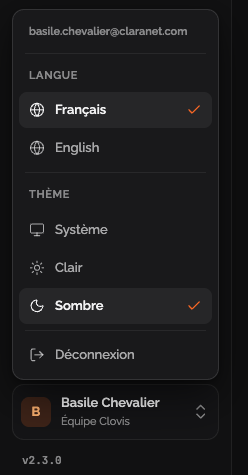
Previously available only in dark mode, the console now offers a light theme. You can choose either appearance to suit your preferences and working environment.
The console is now available in English
Previously available only in French, the console is now also translated into English. You can use the interface in whichever language suits you, French or English, making everyday administration easier for international teams.
Significantly reduced latency
We have redesigned how we collect and calculate usage data from the chat, our API Gateway and supporting tools to centralize all this information in the console.
This new approach to organizing data makes browsing smoother: statistics and usage pages now load in just a few seconds, helping you monitor usage faster from a single place.
Group management
Groups let you assign MCPs or chat agents to a population of users, instead of managing access individually.
Manage groups →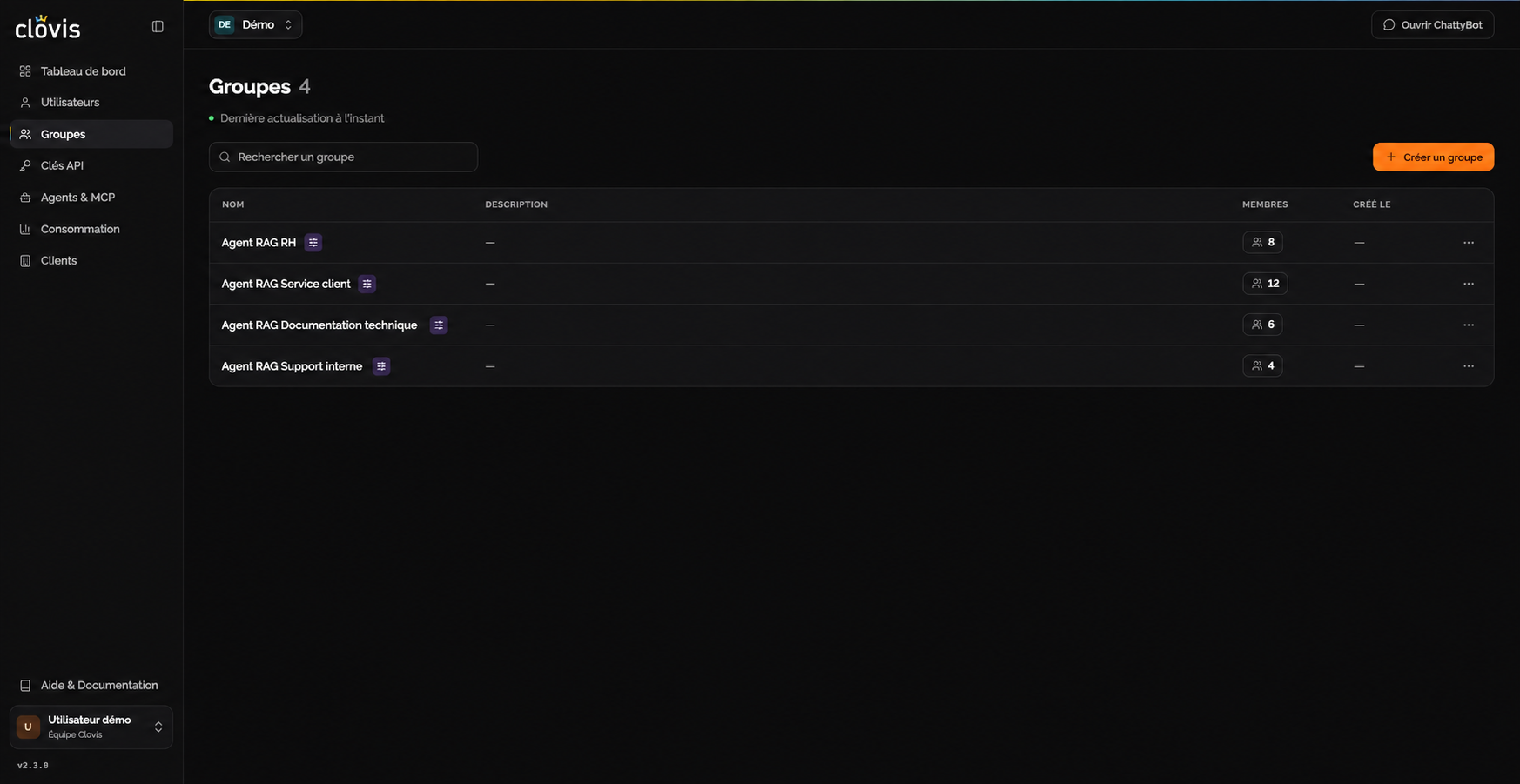
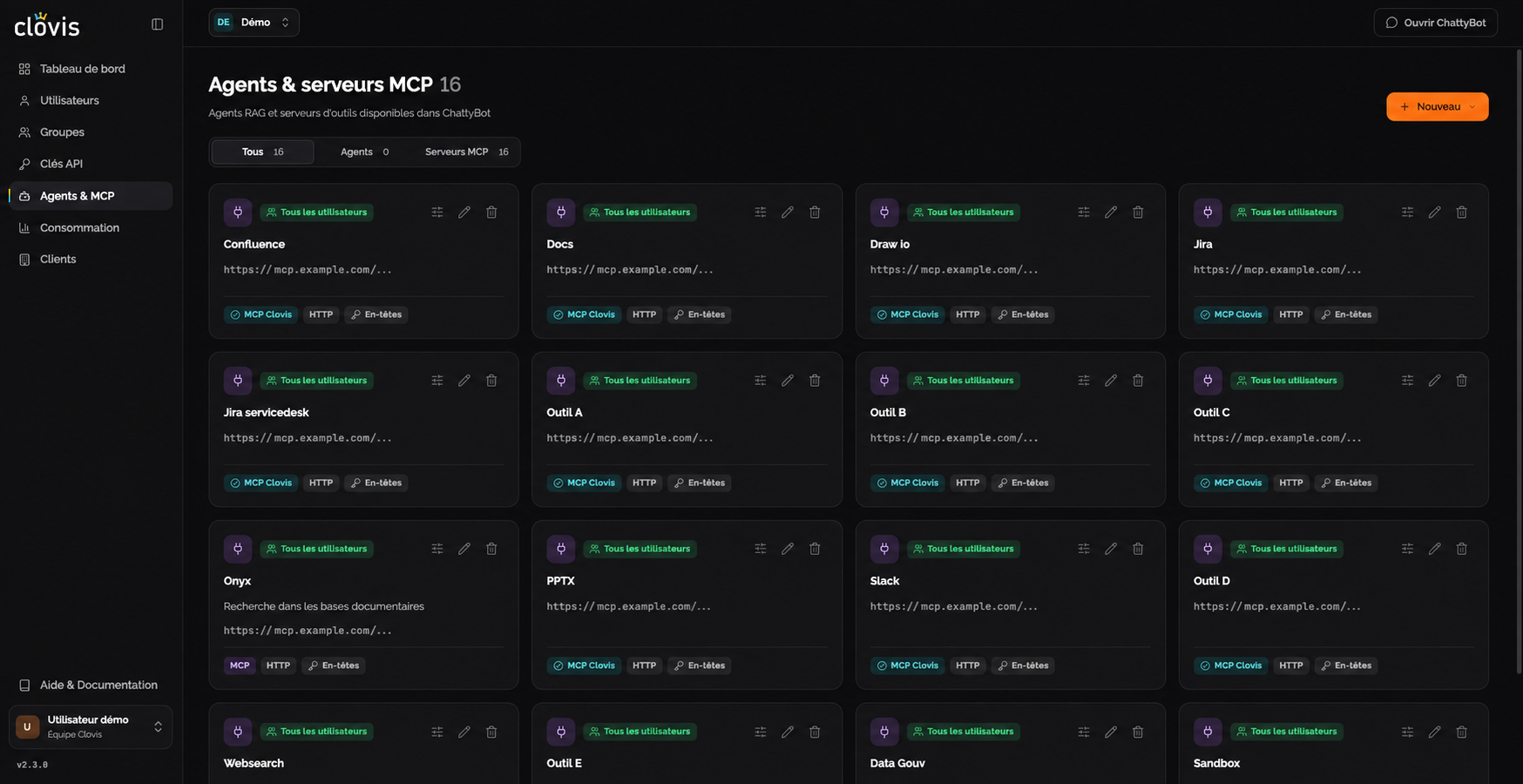
A new page to manage your agents and MCPs
This release lays the foundation for bringing the agents and MCPs you need into the console.
As a first step, we have integrated the MCPs we provide for creating documents from the chat:
 MCP PPTXGenerate PowerPoint presentations.
 MCP XLSGenerate Excel workbooks.
 MCP DocsCreate Word and PDF documents.
 MCP Draw.ioCreate diagrams and flowcharts.
Having them in the console lets you administer them and assign them to groups, giving each set of users access to the tools they need.
RAG agents are also included. Originally developed in dedicated spaces, they are now integrated into the console, where you can administer them and manage their document sources. Already able to connect to your SharePoint sites, they will also support Dropbox through a connector currently under development.
Service keys for your applications
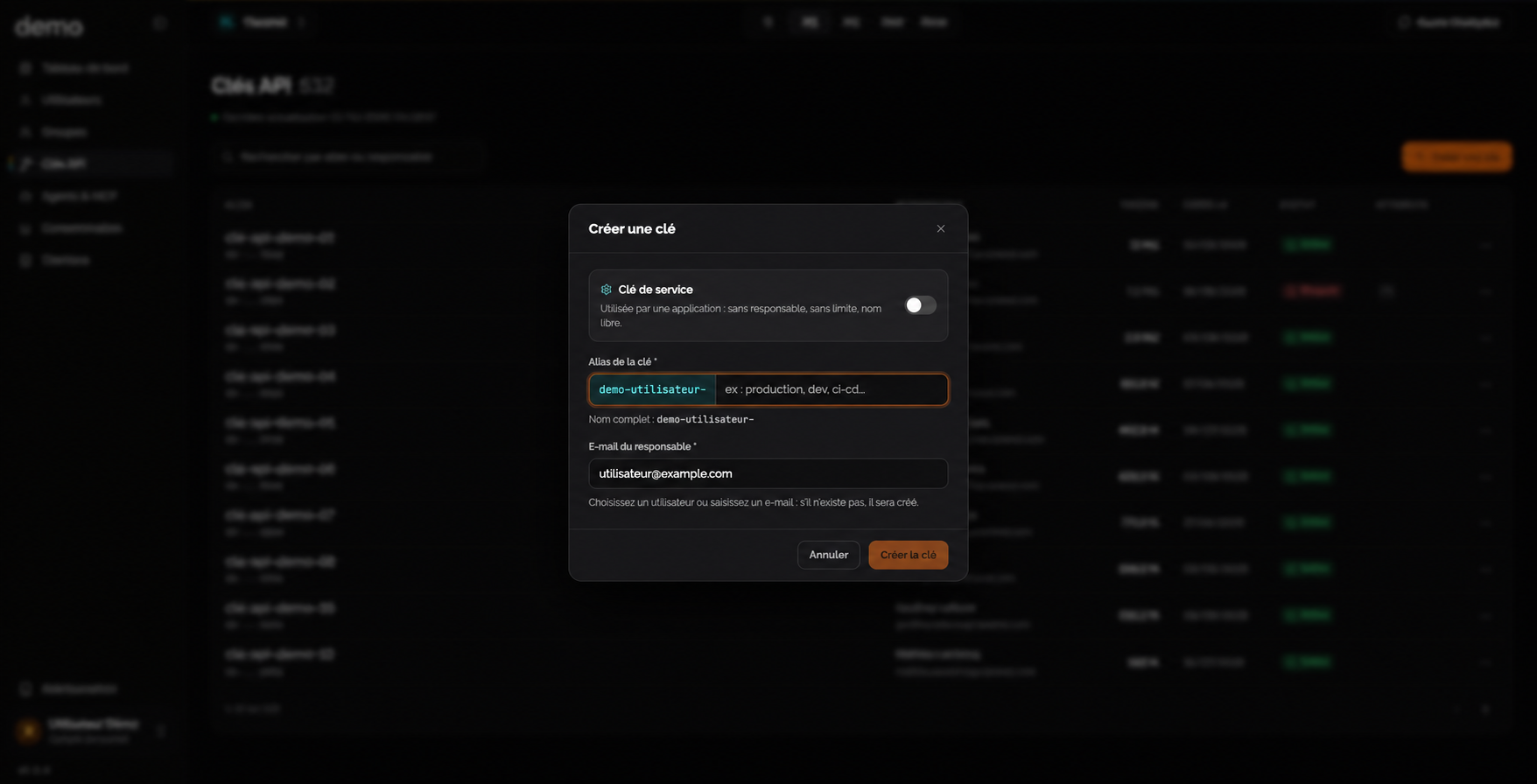
You can now create service keys that are not assigned to a user. They allow your applications and automations to access the API independently of a personal account and that user's quotas or limits.
Import users via CSV
If you do not use SSO and create accounts with a username and password, you can now import users from a CSV file. This lets you create multiple accounts in a single operation, without entering each one individually in the console.
Live incident and maintenance alerts
Previously, only administrators were notified of incidents and planned maintenance. We have introduced an alert system visible to all users, directly in the console and on the documentation site, so everyone can stay informed about Clovis services.
These alerts can:
- Announce planned maintenance, helping you prepare for a possible interruption.
- Report an incident or degraded service, with the available information about the situation.
- Share temporary general information relevant to all users.

Example of an alert that may appear in the console when a service is degraded.
A new public endpoint is available to track incidents and maintenance from your own tools: https://console.clovis-ai.fr/api/incidents.
Thank you for reading!
If you have any questions, please contact your Clovis representative.
Rediscover the console →