API Access from Cline
Cline is an extension for your IDE (especially VS Code) that allows you to use an AI model directly within your development environment.
It can:
generate code
explain code
refactor
document
and all of this without leaving your editor.
Installing Cline (VS Code)

- Open VS Code.
- Go to Extensions (square icon on the left or
Ctrl+Shift+X). - Search for
"Cline"in the search bar. - Click Install.
Configuring Cline
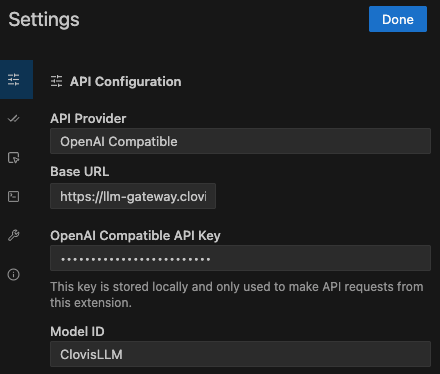
In Cline settings:
- Select OpenAI Compatible in API Provider
- Enter https://llm-gateway.clovis-ai.fr/v1 as Base URL
- Enter your API KEY in OpenAI Compatible API Key (go to the console to generate it)
- Select the Clovis model for the coding assistant. ClovisLLM is the recommended model.
Advanced configuration
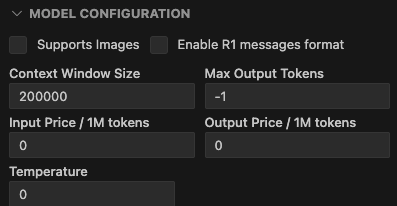
- The maximum context window size is 200,000 tokens
- The model is not multimodal, you can uncheck Supports Images