Prompts
The prompt library lets you save recurring instructions. It saves you time and helps you use a consistent structure for frequently repeated tasks.
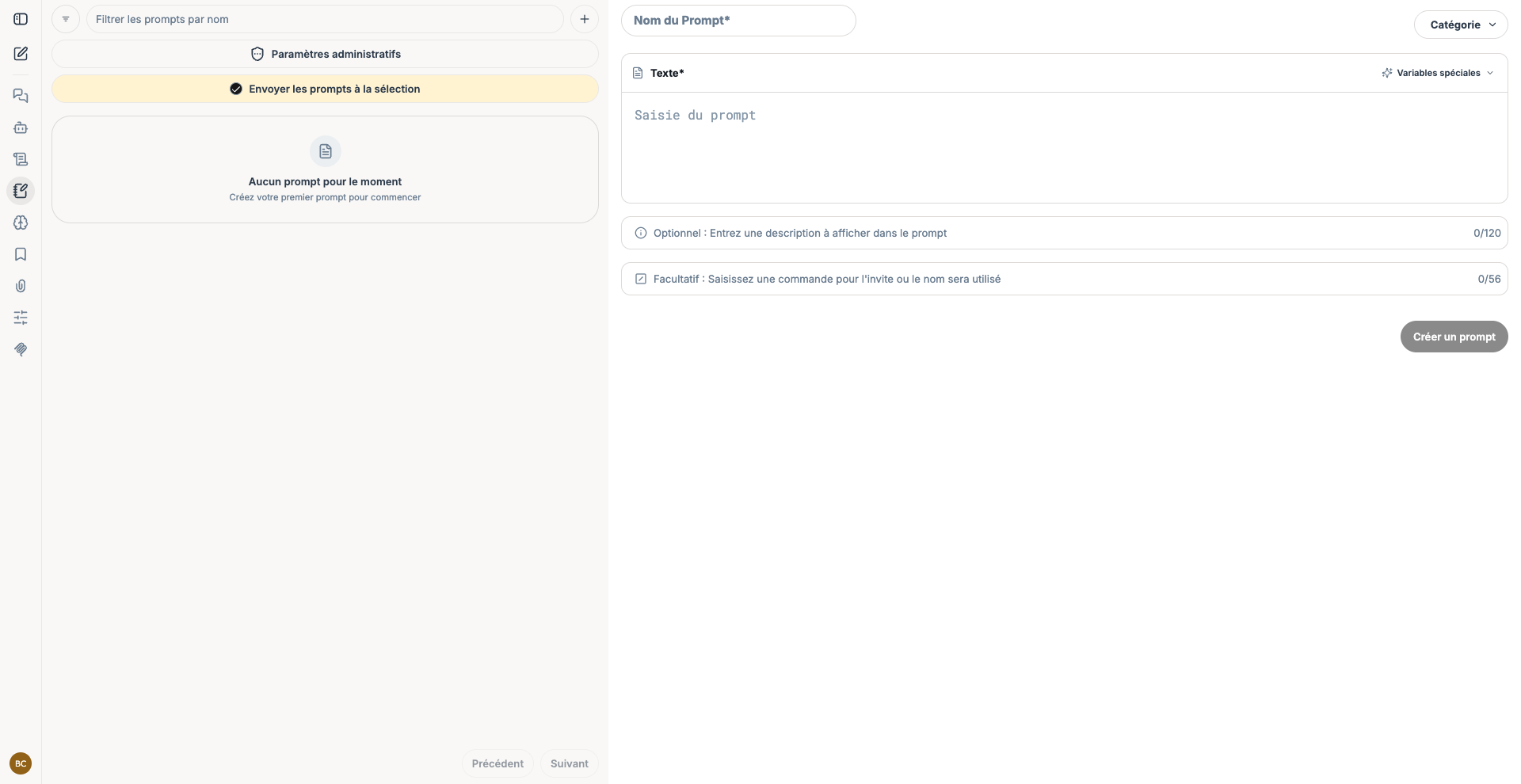
Create a prompt
- Open the Prompts section from the navigation bar.
- Select the + button.
- Give the prompt a short, recognizable name.
- Choose its category.
- Enter the full instruction in the Text field.
- Optionally add a description and an invocation command.
- Select Create a prompt.
You can insert the variables suggested by the interface to keep your instruction template adaptable. Give them clear names and specify what the user should provide.
Use a prompt in a conversation
In the chatbot input field, start your message with /. Type the first few letters of the name or command, select the suggested prompt, fill in any variables, then send the message.
Write a reusable prompt
- Use an action-oriented name, such as
summarize-meeting-notes. - Explain the role, task, required context, and output format.
- Replace variable information with explicit placeholders.
- Test the prompt with several examples before sharing it.
- Update it whenever the business process changes.
To design your instruction, see the RICO method.
Prompt examples
Summarize meeting notes
Purpose: quickly extract decisions and action items from a meeting.
What you need: the meeting notes, the target audience, and optionally a maximum length.
You are a project assistant. Summarize the attached meeting notes for [AUDIENCE].
Include:
1. the decisions made;
2. the actions to be completed, with their owner and deadline;
3. the points still requiring a decision.
Respond in no more than [LENGTH] words and do not invent any information that is not in the document.
Prepare a professional email
Purpose: turn a few pieces of information into a clear message suited to its recipient.
What you need: the recipient, the objective, the information to include, and the desired tone.
Write an email to [RECIPIENT] in order to [OBJECTIVE].
You must include the following information: [INFORMATION].
Use a [TONE] tone, suggest a subject line, and limit the message to three paragraphs.
Compare several solutions
Purpose: obtain a structured comparison before making a decision.
What you need: the solutions, the criteria, and the priority constraints.
Compare [SOLUTIONS] according to the following criteria: [CRITERIA].
Present the result in a table with advantages, limitations, and points to verify.
Conclude with a reasoned recommendation that takes [CONSTRAINTS] into account.